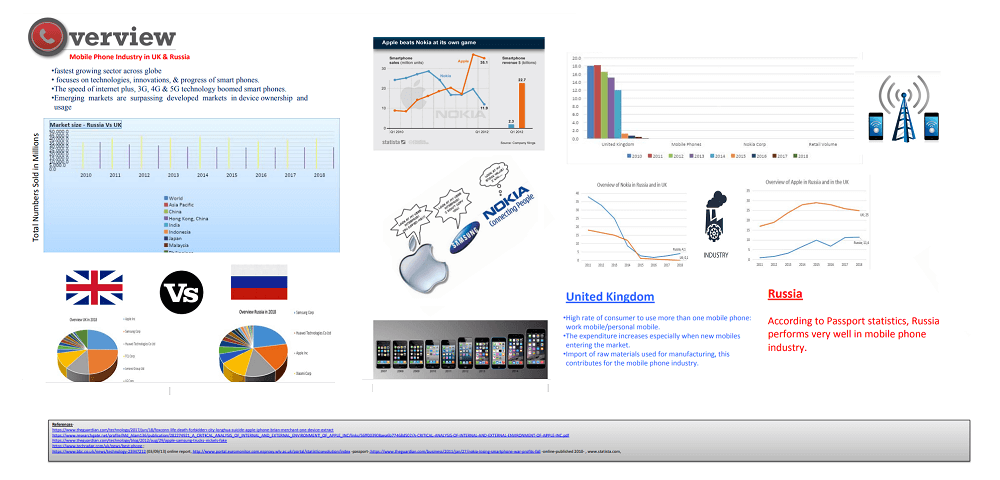
Schools and colleges are increasingly asking students to make posters on various topics (book review, film review, or to demonstrate understanding of a topic).
Most group assignments in colleges require the group to develop an impactful poster that accurately reflects the key findings.
A poster presentation is a visually engaging way of showing your understanding of a topic. A poster enables students to present information in a concise and visual manner, making it easy to understand the concept, and also demonstrates whether the student has understood the concept.
Posters can also be used by teachers in schools to present useful information and to summarize ideas.
There are two parts to any poster presentation:
- Poster design
- Brief explanation of the topic.
In some poster presentations, the audience (typically the teacher or other students) may ask you questions.
Here are some tips to create an impactful poster:
- Plan the visual structure of the poster. You can be as creative as you want with your poster. You may use two A3 papers combined to make a decent-sized poster.
- Organizing the content
- You will usually stand beside the poster and answer questions from a few viewers at a time. So follow the best practices in presentation.
What to include in a poster?
Here’s what you must include in the poster:
- Mention the topic, course, name of the creator
- Include the main points, supporting points, use images to support the various points.
- Cite sources to support your arguments.
- Make use of visual elements and less text, although you need text to explain the various elements.
- Avoid using long sentences or large blocks of text. Instead, use lists/bullets.
- Once completed, proof-read the work to look for grammatical mistakes or to see if you can depict anything better visually.
Organizing the content: Often the task instructions will tell you how to what sections to use. It is common for students to use the same structure as an academic research paper (introduction, aims, design, results, discussion/conclusion). For some posters, you may organise the content into sub-topics or themes.
Designing a Poster
Here are some factors to keep in mind while designing a poster.
- Try to aim for a good balance of text and visual elements.
- Give some thought to the size of the visual elements and the font of the text, as the audience could be a few feet away from the poster.
- Try to use high quality images as far as possible.
- Make enough use of blank spaces (white spaces) so that the poster does not look cluttered.
- As far as possible, choose colours that have high contrast, such as using black text on white background.
- Some colleges already have a poster template that you can use to create your poster.
Poster Creation Software
There are several various tools and software that you can use to create a poster.
- For simple posters (for school poster), you can consider using Paint, which is a basic image editing software, or you may use Power point.
- You can even use software such as Indesign and Adobe Spark to create complex posters.
- These software programs come with built-in templates that you can use to make a poster. You can even download free templates to create a poster.
Presenting Your Poster
When presenting your poster, here are a few points to remember:
Avoid reading directly from the poster. Try to explain in your own words (consider developing a script separately).
Provide the big picture and talk about the main arguments and findings. Use the visuals to support your main points.
In conclusion
- Preparation is key
- Organised content flows
- Well designed slides
- Talk to your audience
Useful Links
- A Guide to Designing a Poster – Rice University
- Erren, T.C. and Bourne, P.E., 2007. Ten simple rules for a good poster presentation. PLoS computational biology, 3(5), p.e102.

Leave a Reply